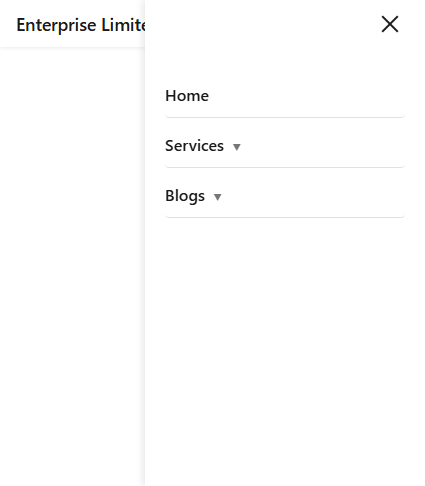
Dynamic Navigation Bar for Umbraco
Build powerful, responsive navigation without custom frontend work
Designed for speed and simplicity, this package provides a production-ready navigation bar with logo, brand name, and responsive behavior out of the box
Ready-to-use, responsive navigation for Umbraco websites
Dynamic Navigation Bar is a plug-and-play Umbraco package that delivers a fully responsive, customizable navigation system with both frontend and back office support
Features
Fully Responsive Navigation
Delivers a mobile-first, responsive navigation bar that adapts seamlessly across desktop, tablet, and mobile devices without additional frontend customization.
Backoffice-Driven Menu Management
Allows editors to manage navigation structure, labels, and links directly from the Umbraco backoffice, removing the need for developer involvement in routine updates.
Branding Ready Out of the Box
Supports logo and brand name configuration with a clean, reusable frontend layout, enabling consistent branding across the website with minimal setup.
How It Works
-
1
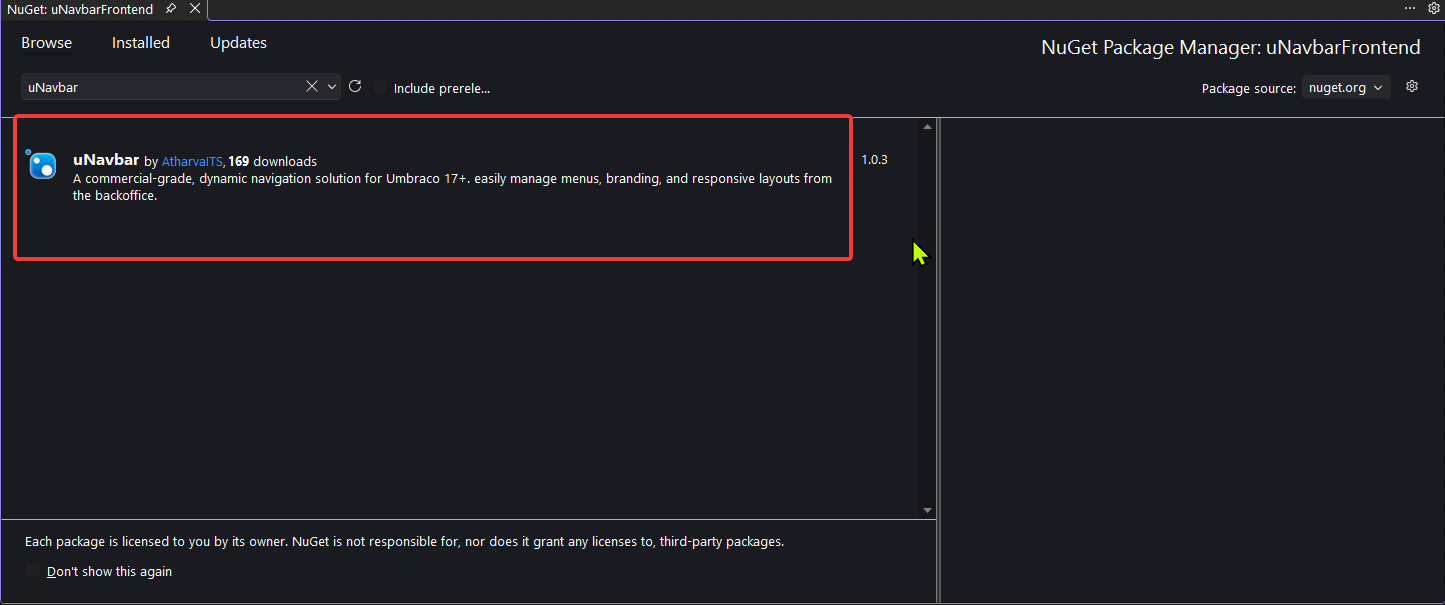
Install the uNavbar NuGet package
-
2
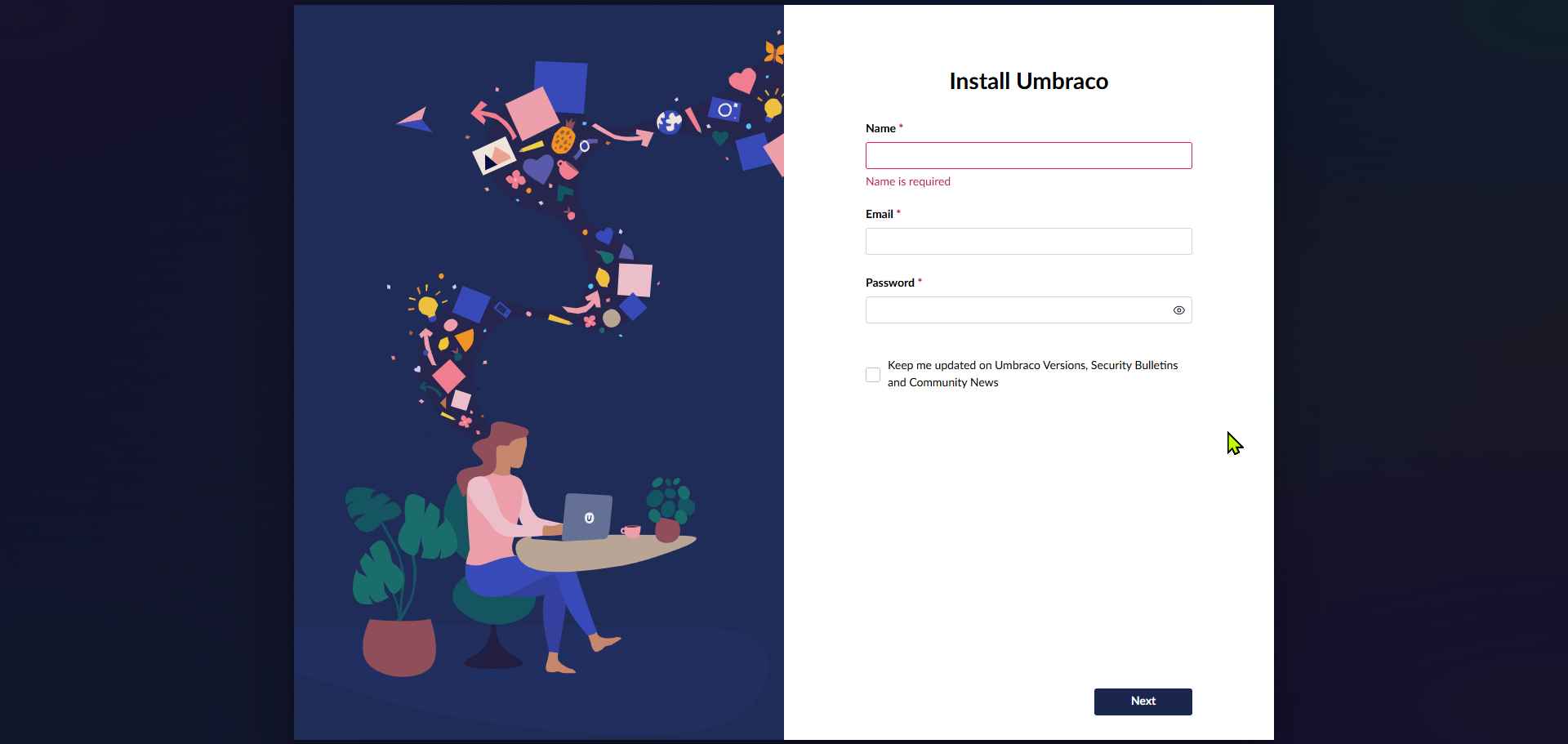
Rebuild and run the solution, then configure Umbraco
-
3
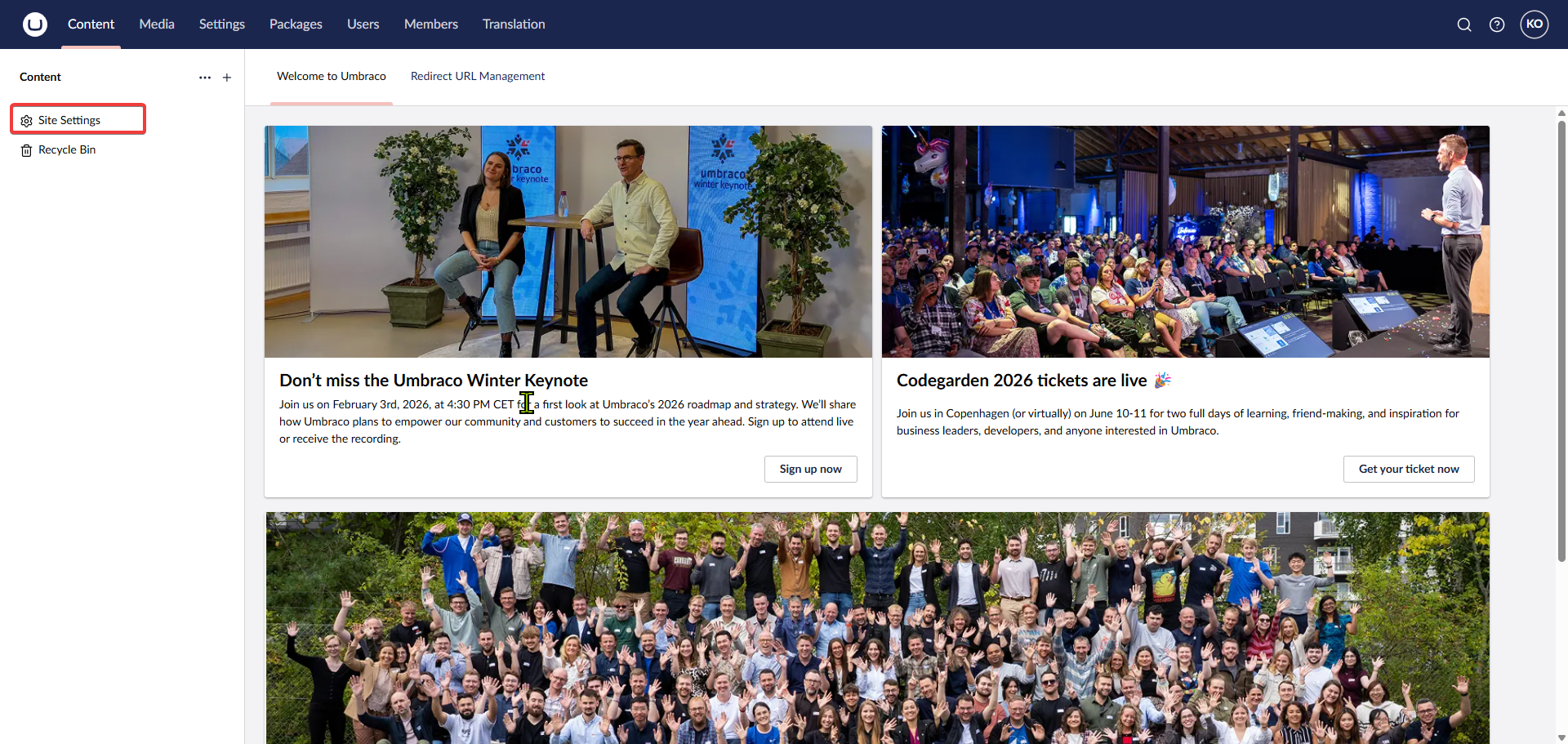
Log in to the backoffice
-
4
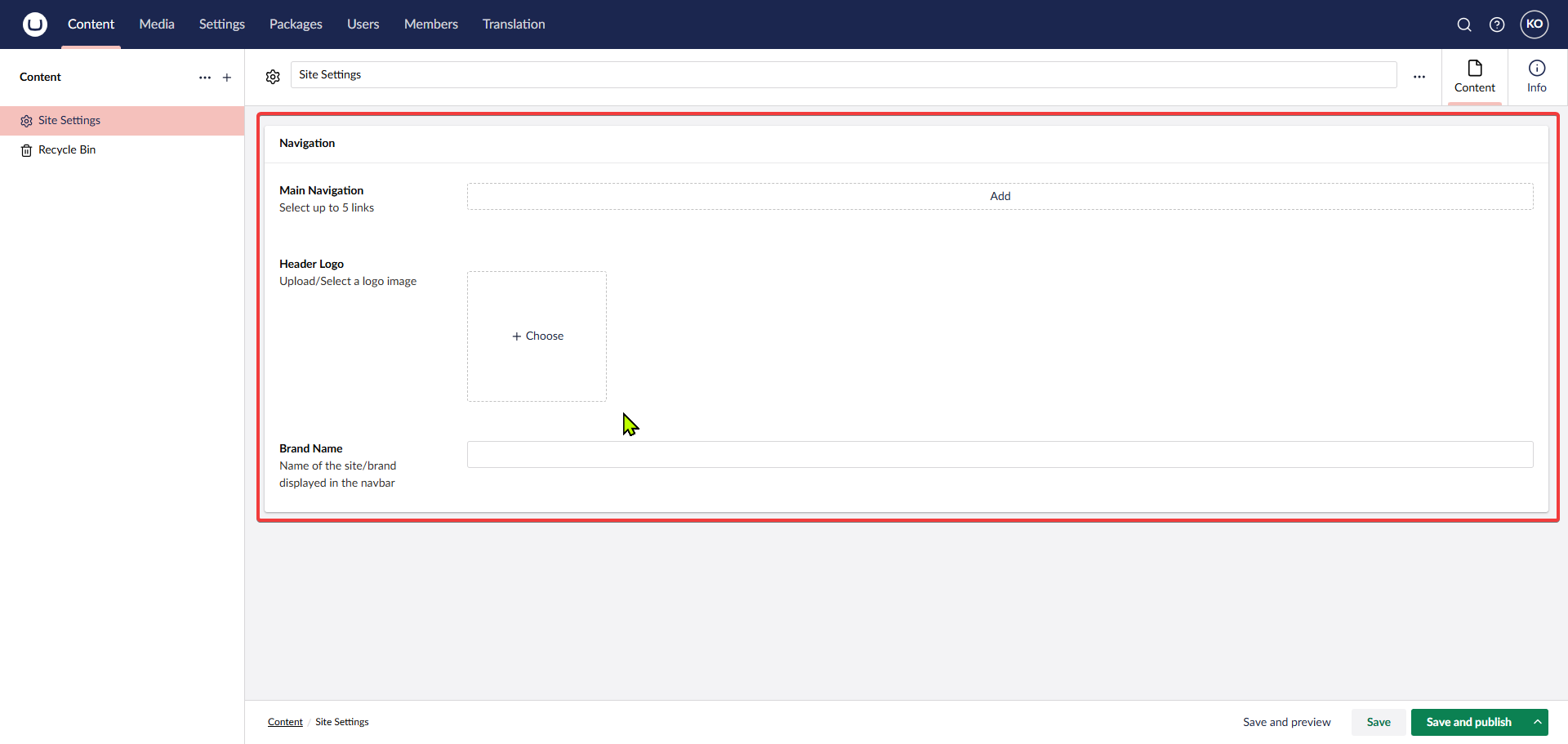
Properties of Site Settings document
-
5
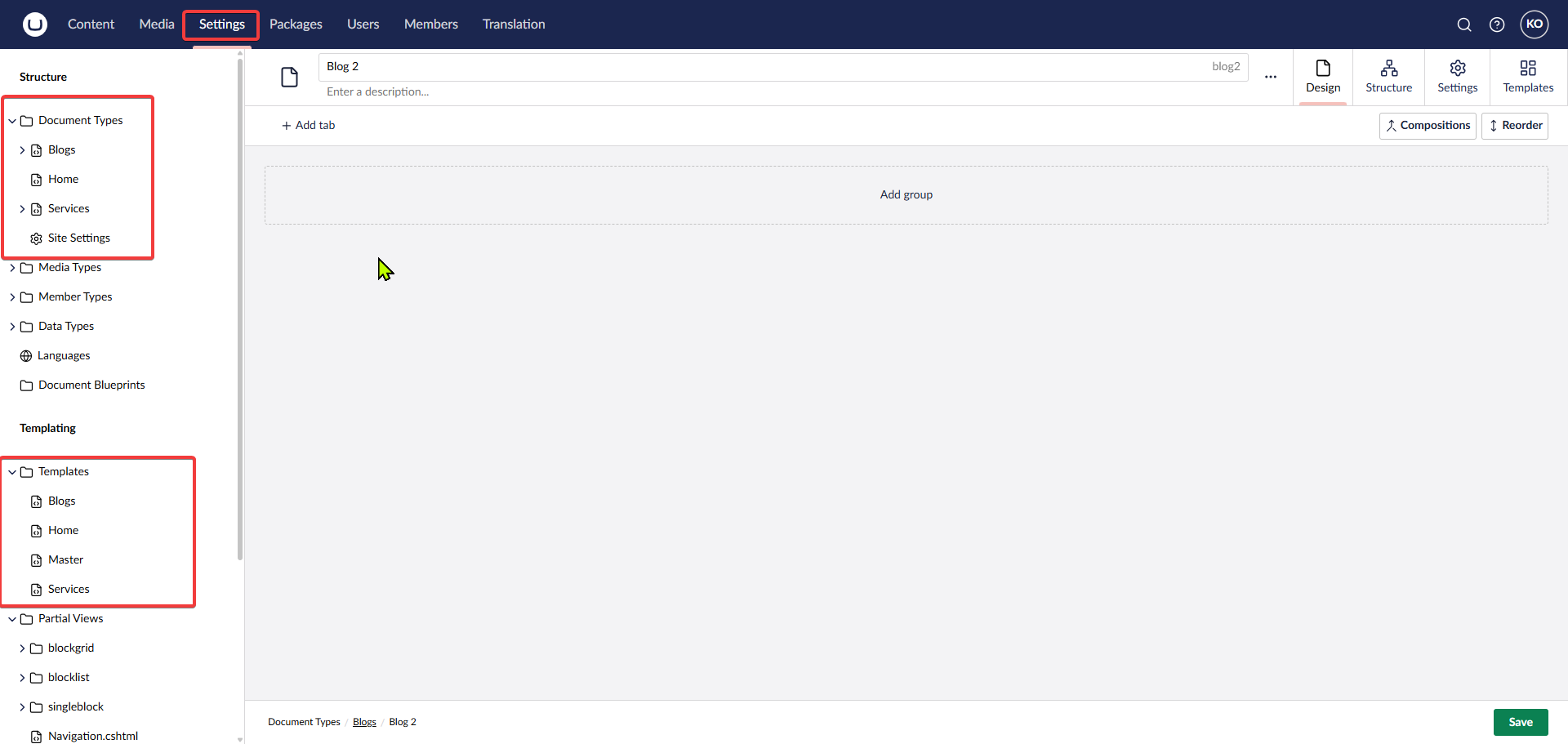
Add the relevant documents to show in the Navbar
-
6
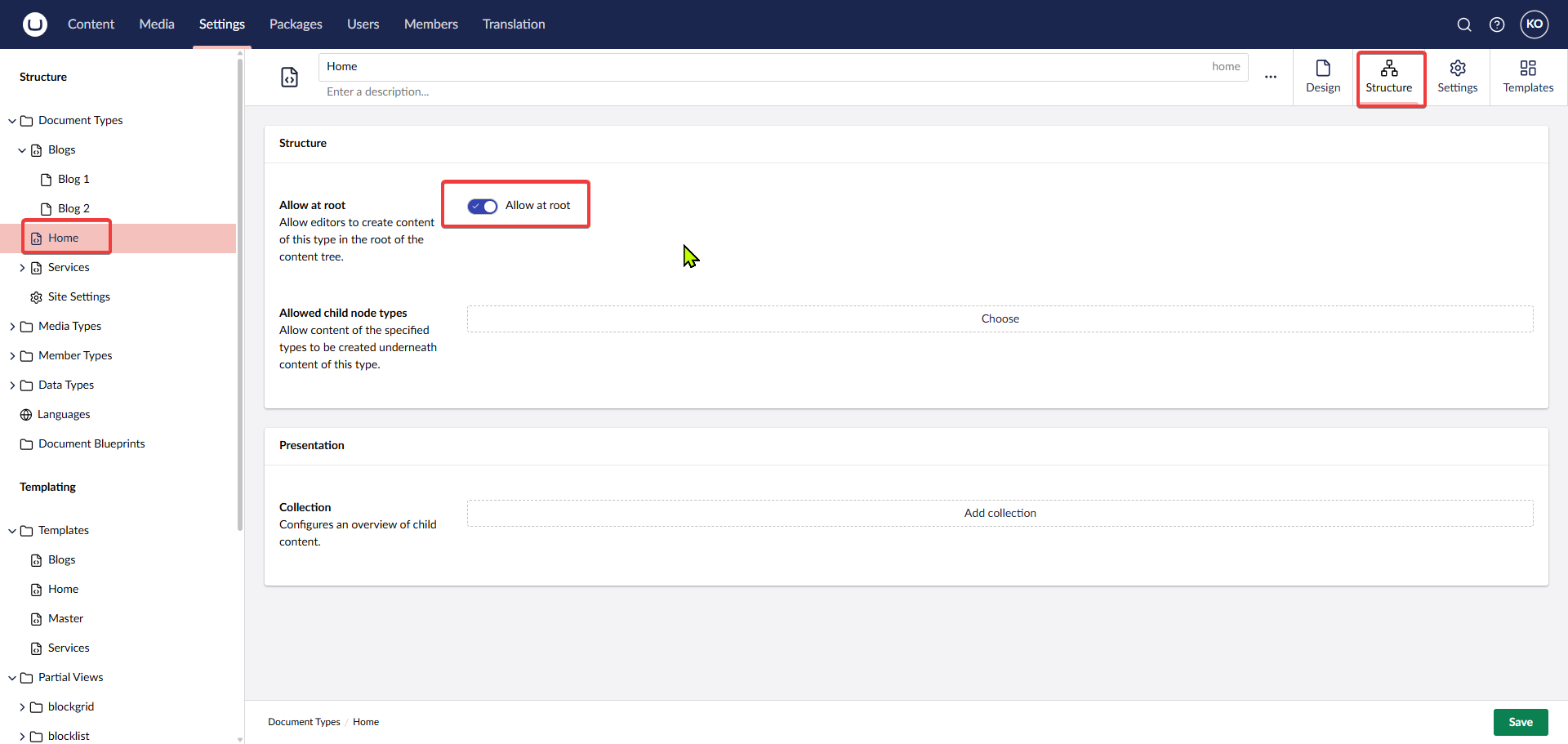
Setup Root Documents
-
7
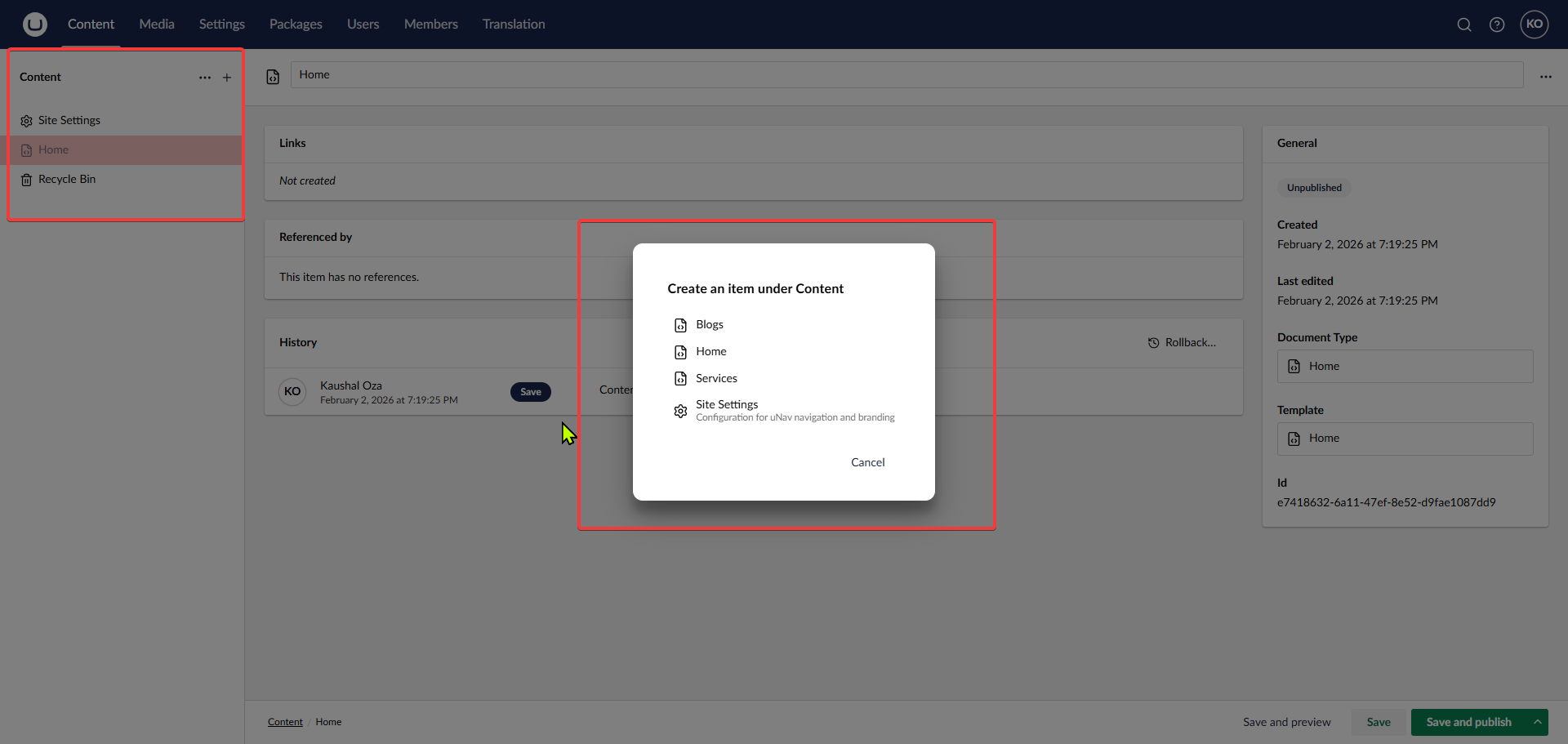
Register the documents in Content tab
-
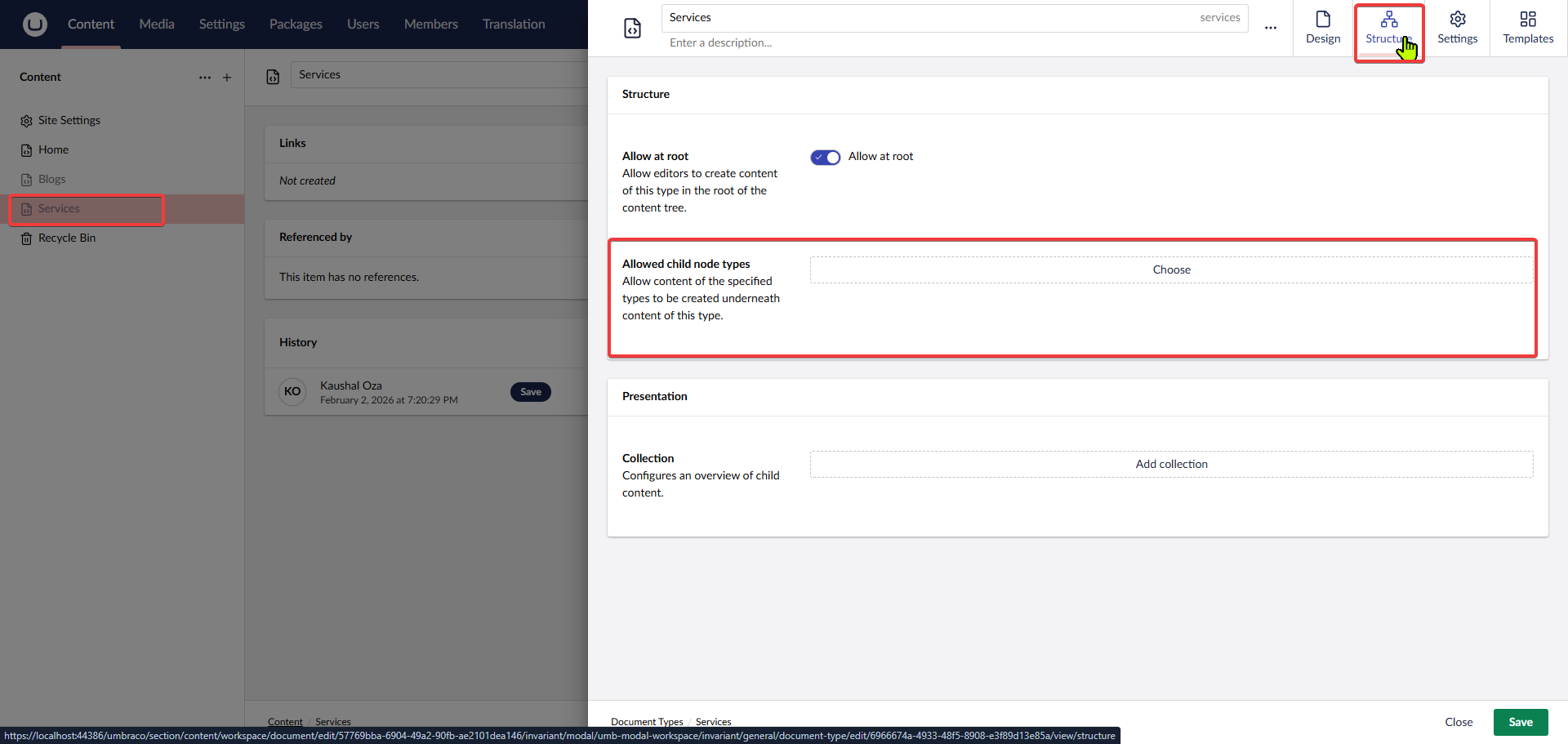
8
Add child document support to the root documents
-
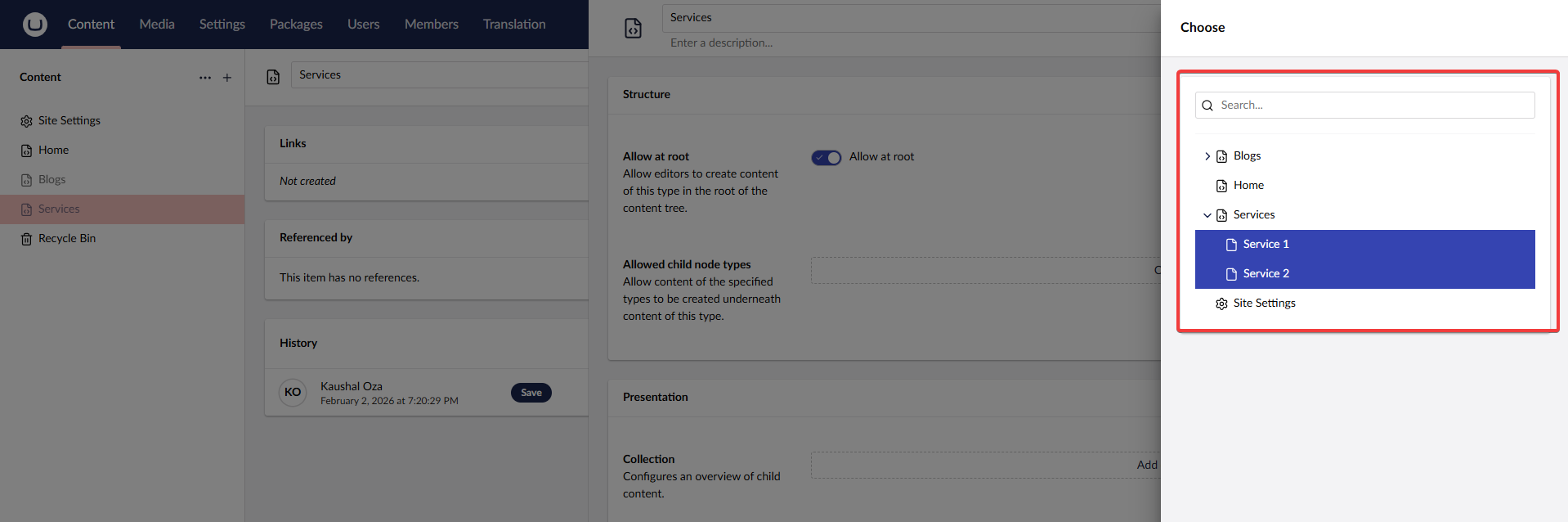
9
Select the appropriate child node types
-
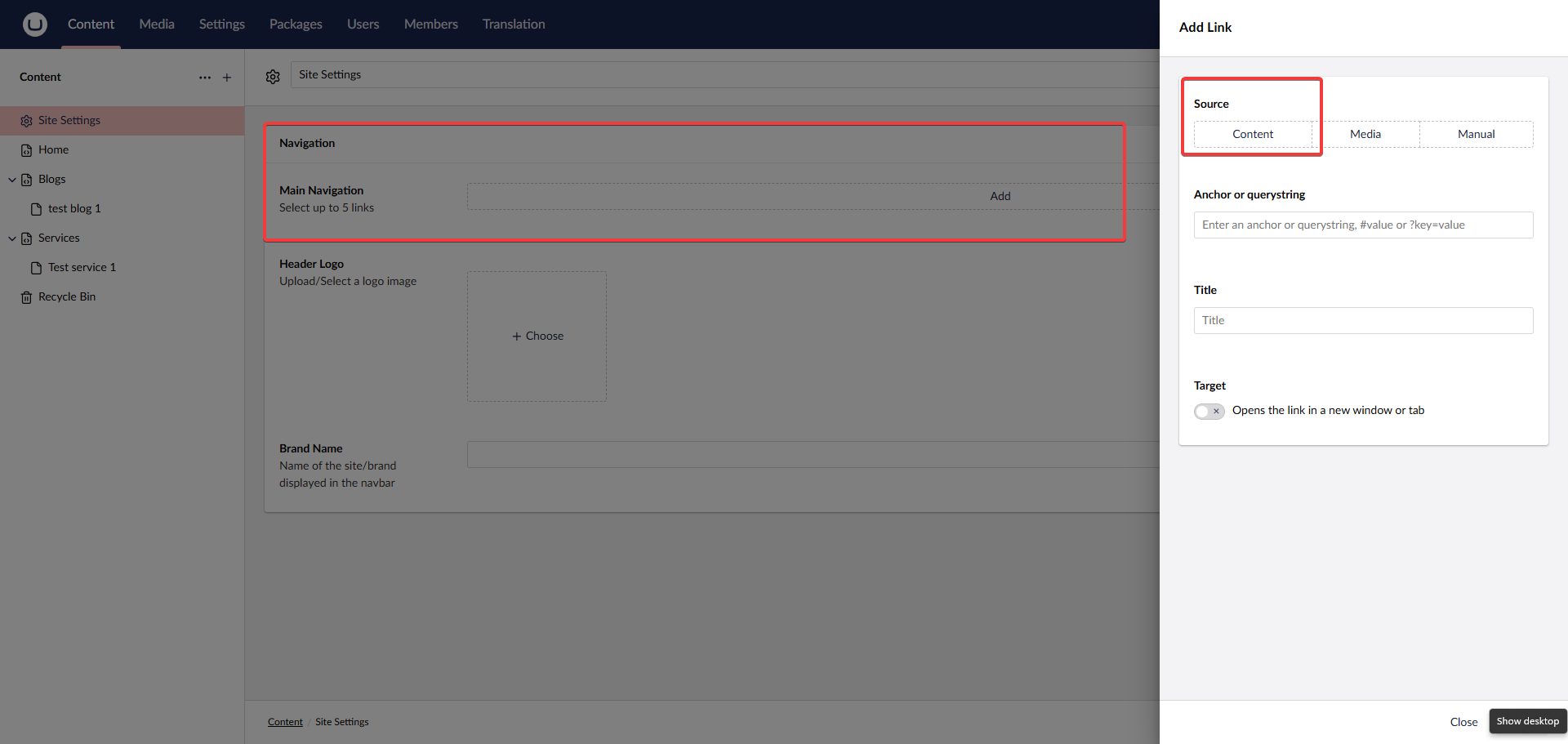
10
Go to Content Tab
-
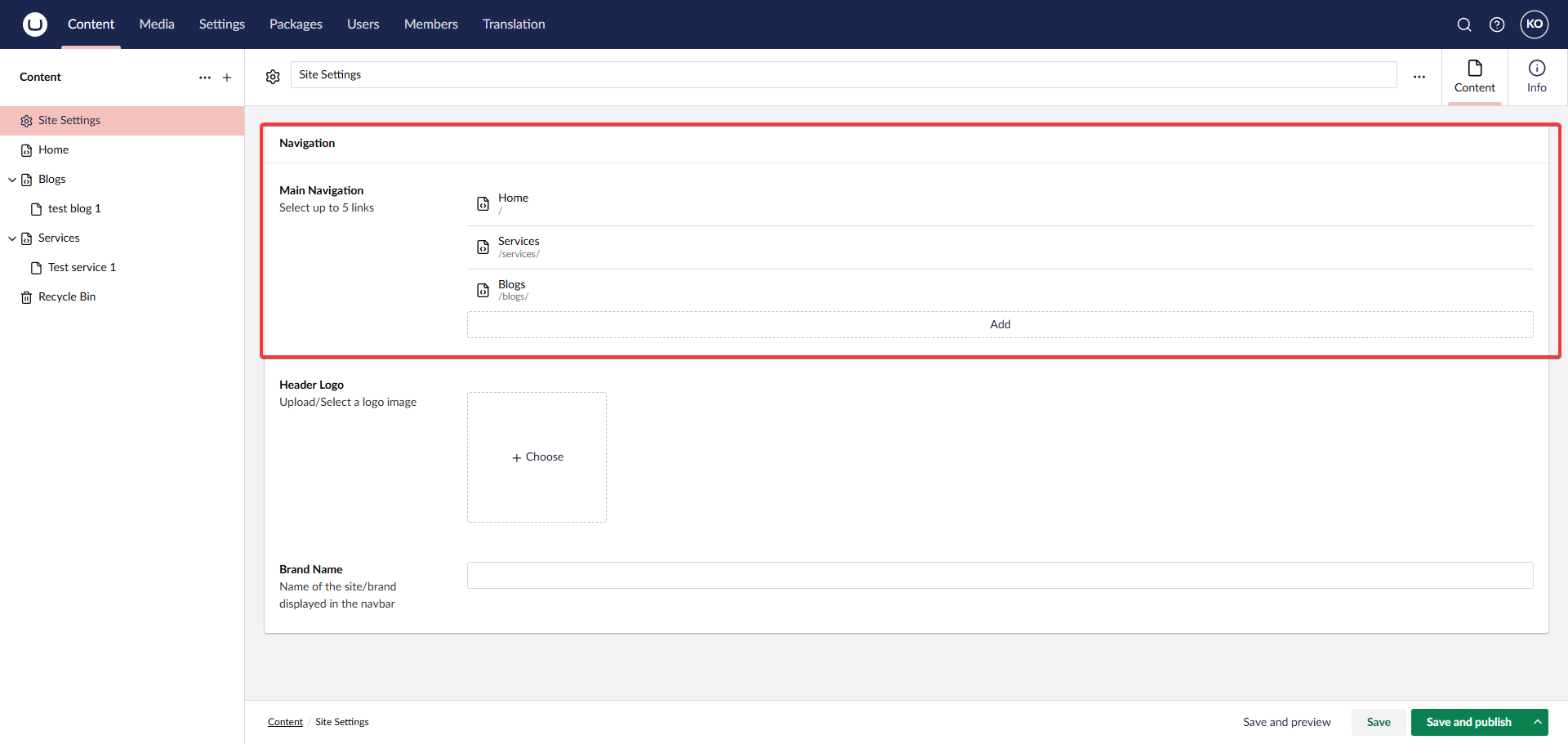
11
The Final Structure After Following All Steps
-
12
Register the CSS and Partial Views to show the navbar
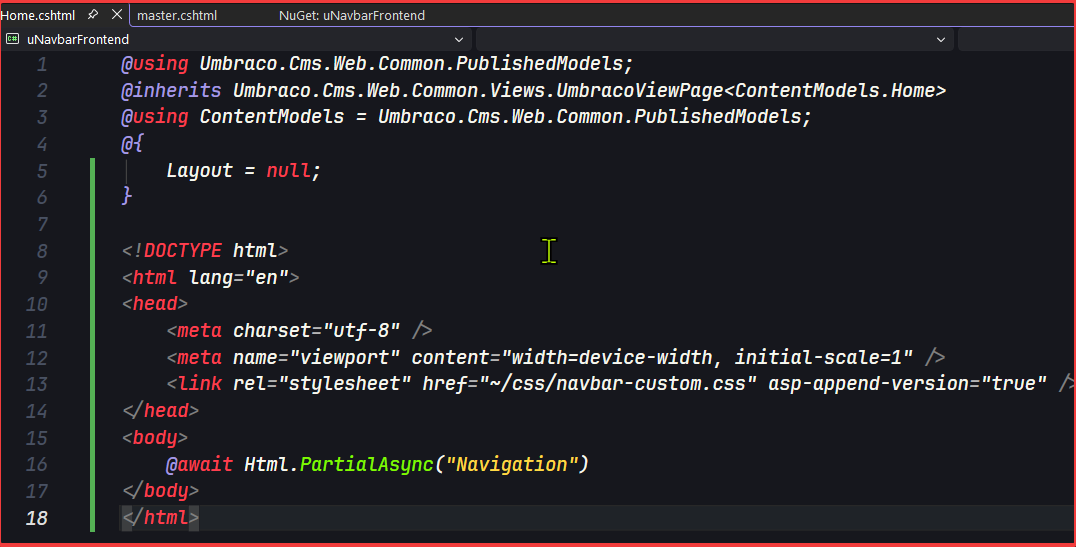
-
13
Navbar Should be now Displayed

-
14
Mobile Navigation Bar