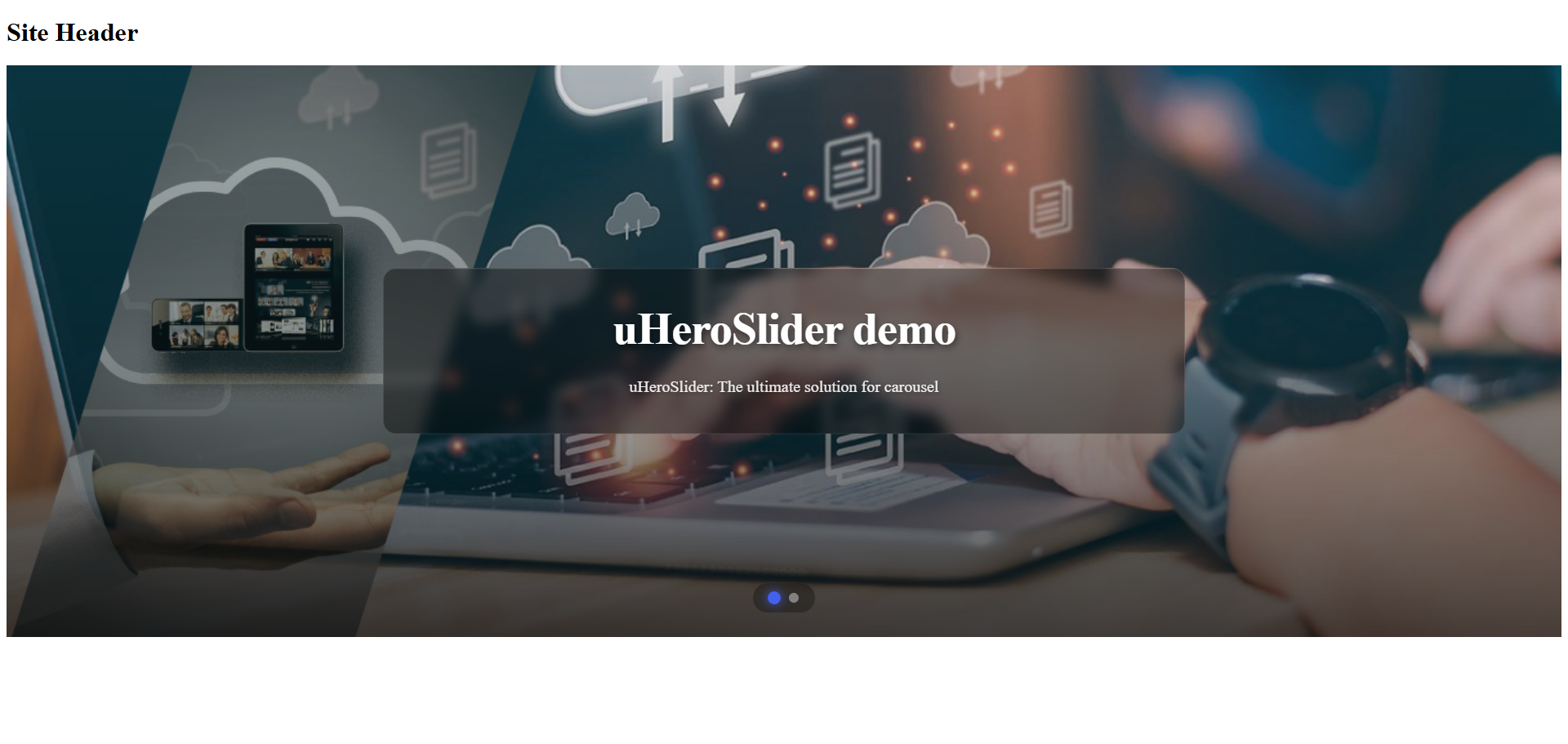
uHeroSlider - Dynamic Hero Component for Umbraco
Effortless Impact. Perfectly Timed
Elevate your website's first impression with uHeroSlider, a premium, fully responsive hero carousel designed specifically for Umbraco 17+. Built with flexibility and performance in mind, it allows content editors to effortlessly manage dynamic slides with images, videos, and rich text. Featuring intuitive scheduling capabilities, you can pre-plan slide visibility for campaigns or events, ensuring your content is always timely
Key Features
Advanced technology at your fingertips
Advanced Scheduling ( PRO )
Take control of your campaigns with per-slide and global scheduling. Set start and end dates with timezone support to automatically show or hide content precisely when you need it.
Rich Multimedia Support
Engage your audience with diverse content. seamlessly mix high-quality images and videos
Fully Responsive & Customizable
Built mobile-first to look perfect on any device. Customize animations, transitions, loops, navigation dots, and arrows directly from the Umbraco backoffice without touching a line of code
Slide Content Manager
Slider Configuration
Advanced Media Overlays
Product Gallery & Steps
Explore product images and follow the steps
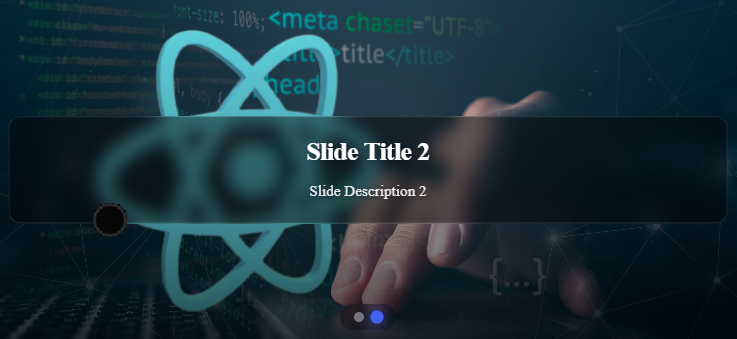
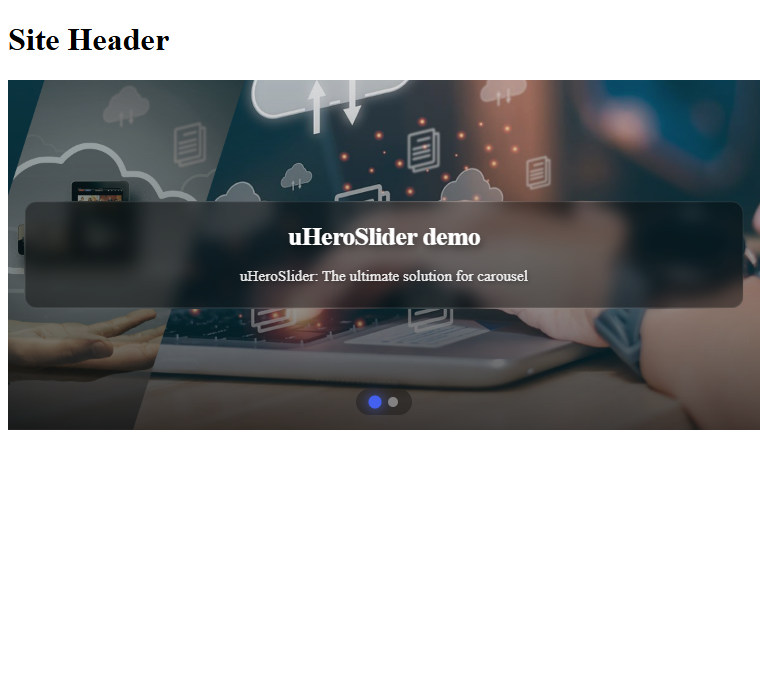
Initialize back office
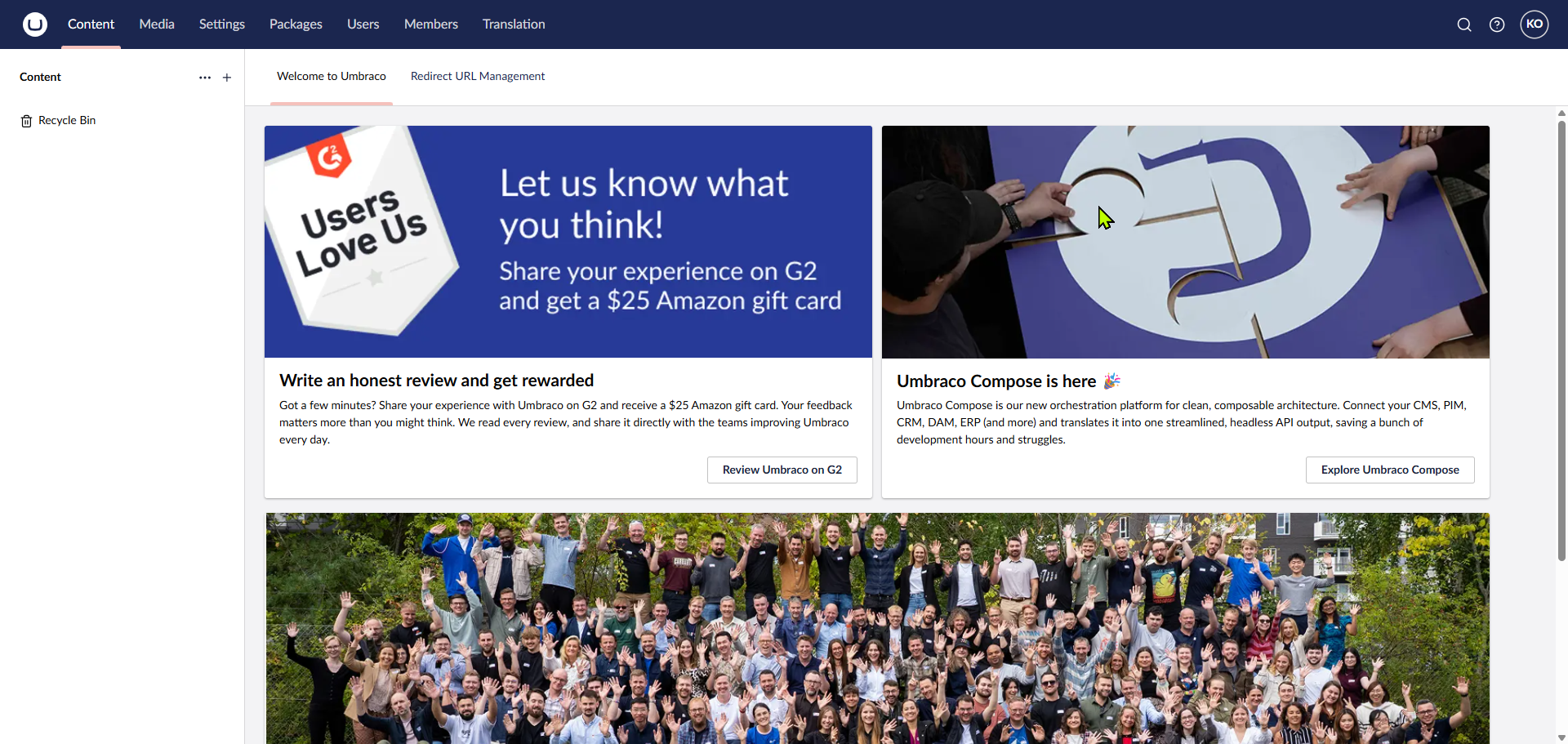
Create Master layout
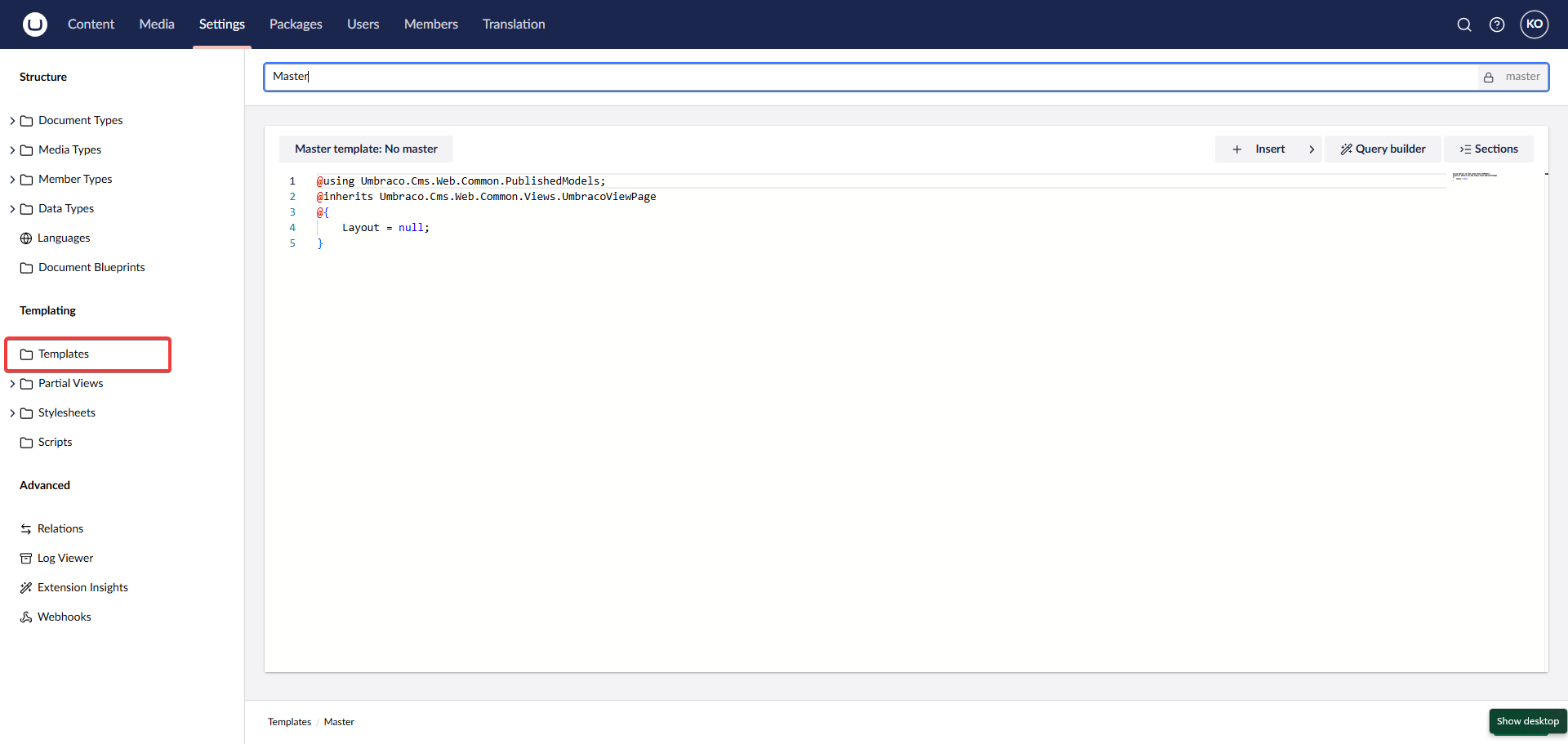
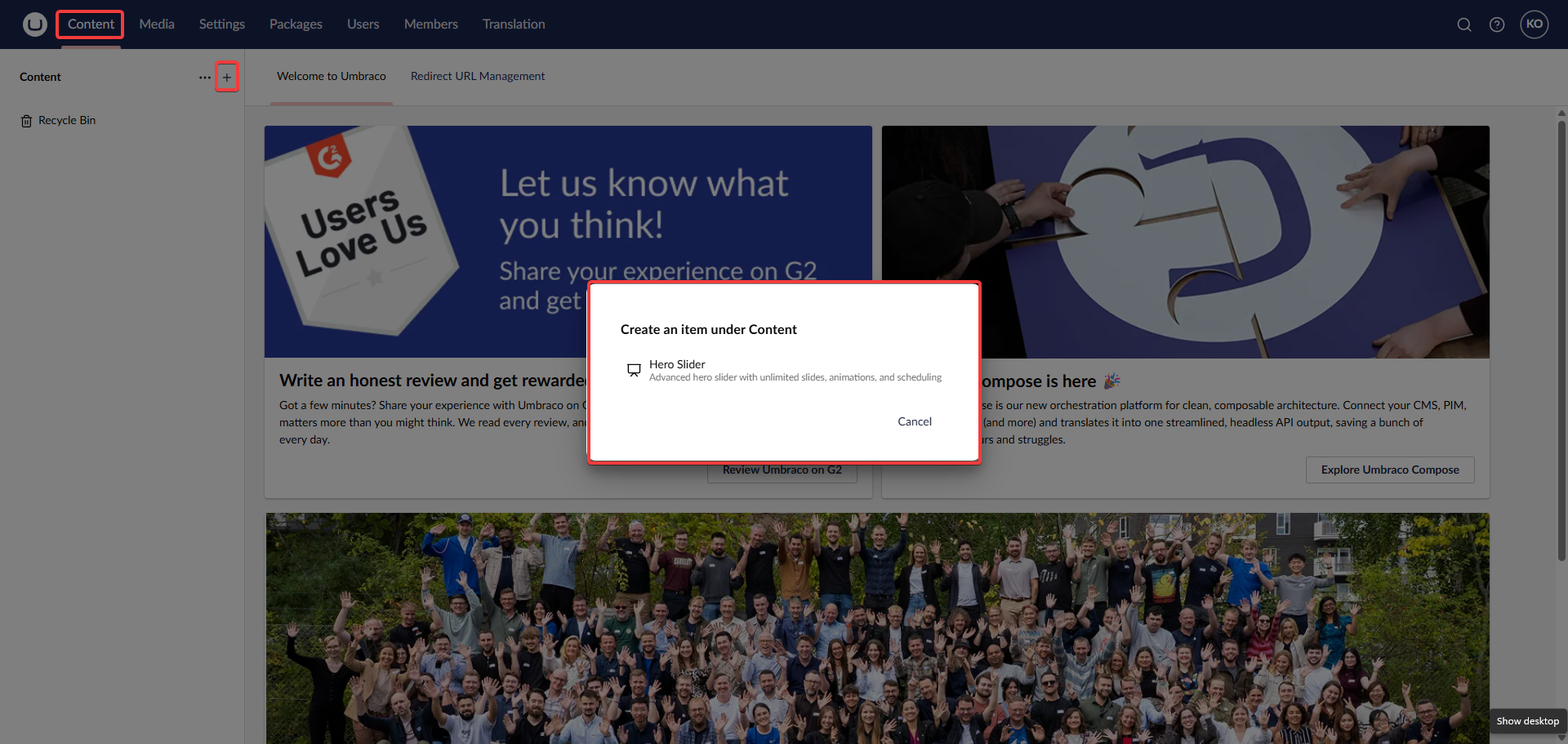
Create HeroSlider document in the content section
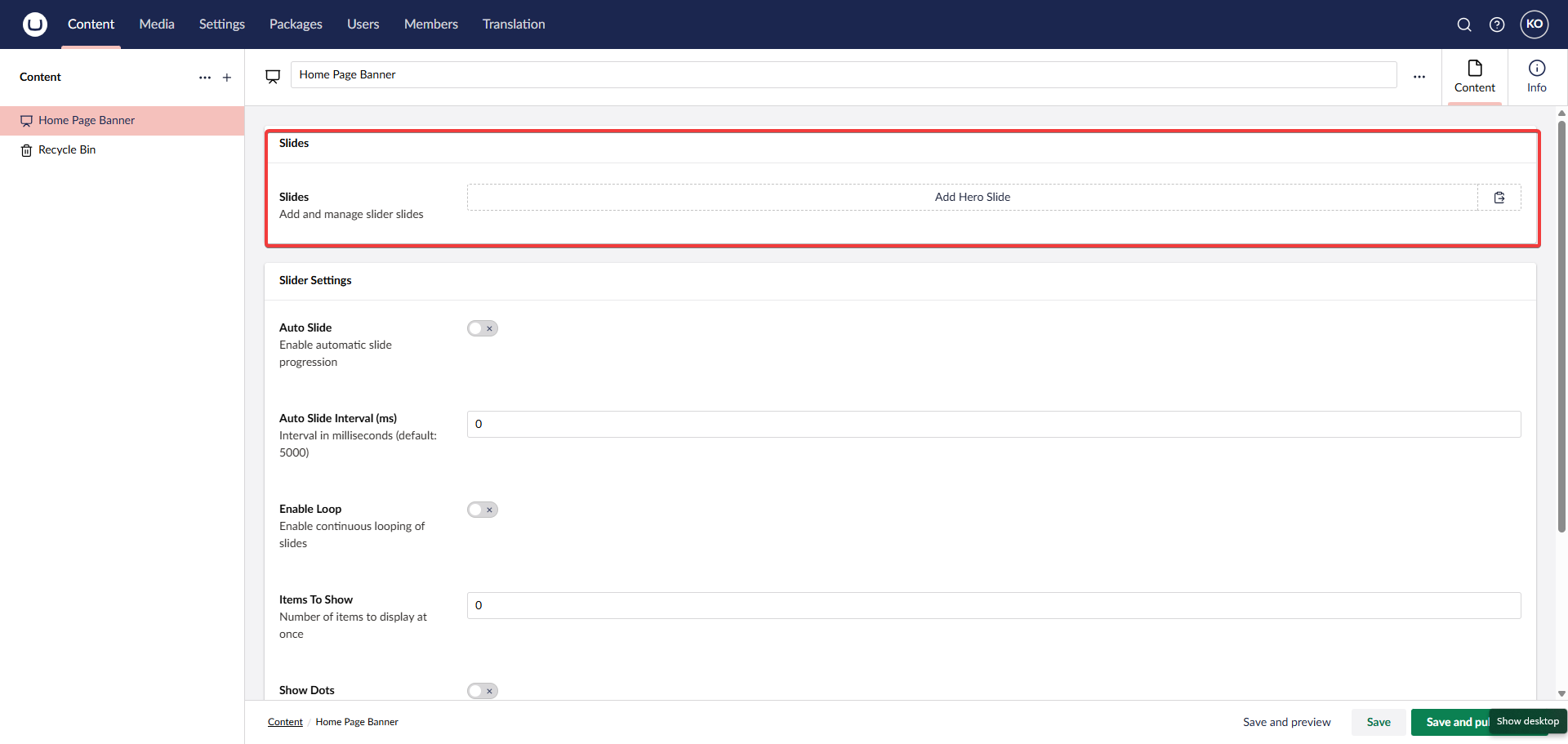
Add slides to the created HeroSlider document
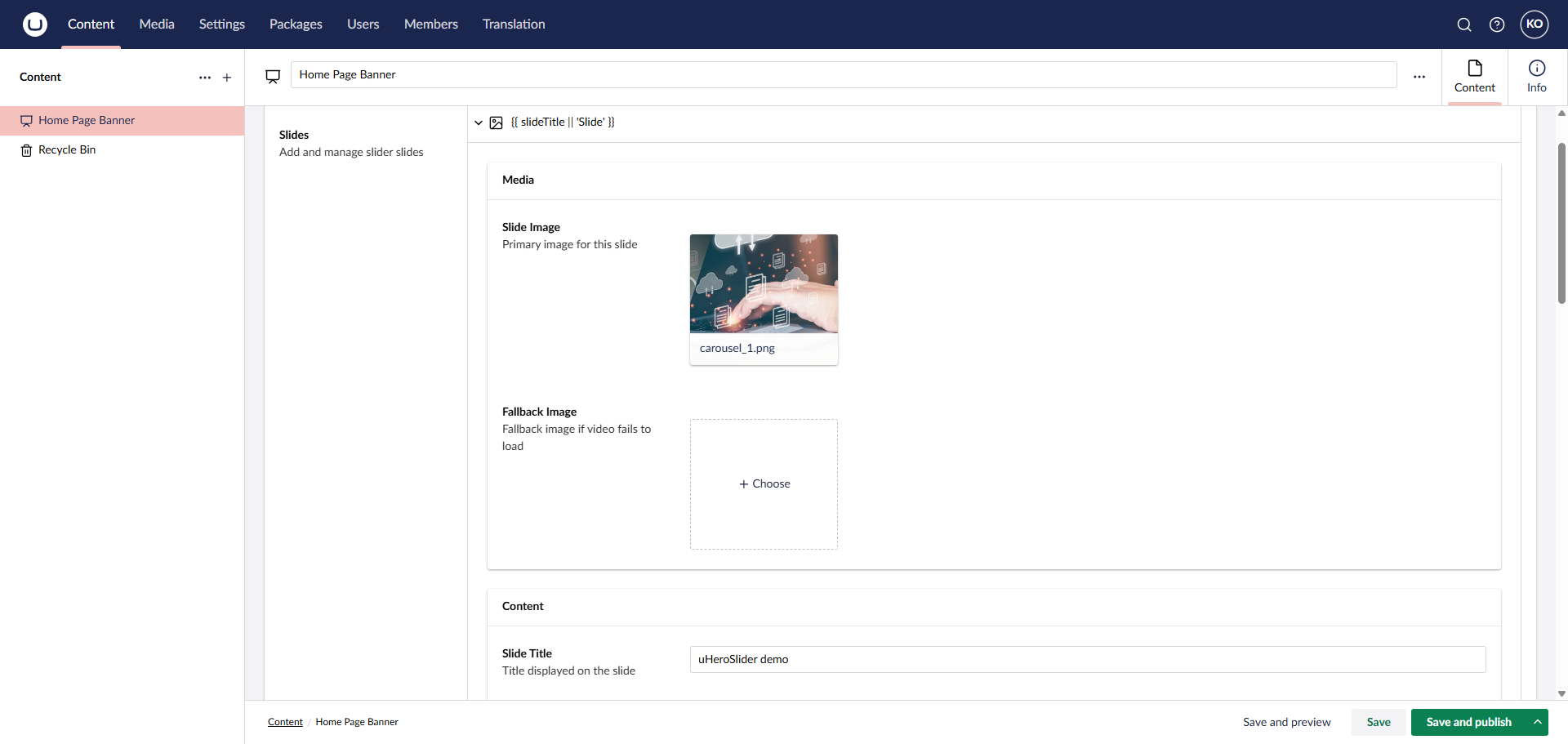
Fill in individual slide details
Trouble shooting
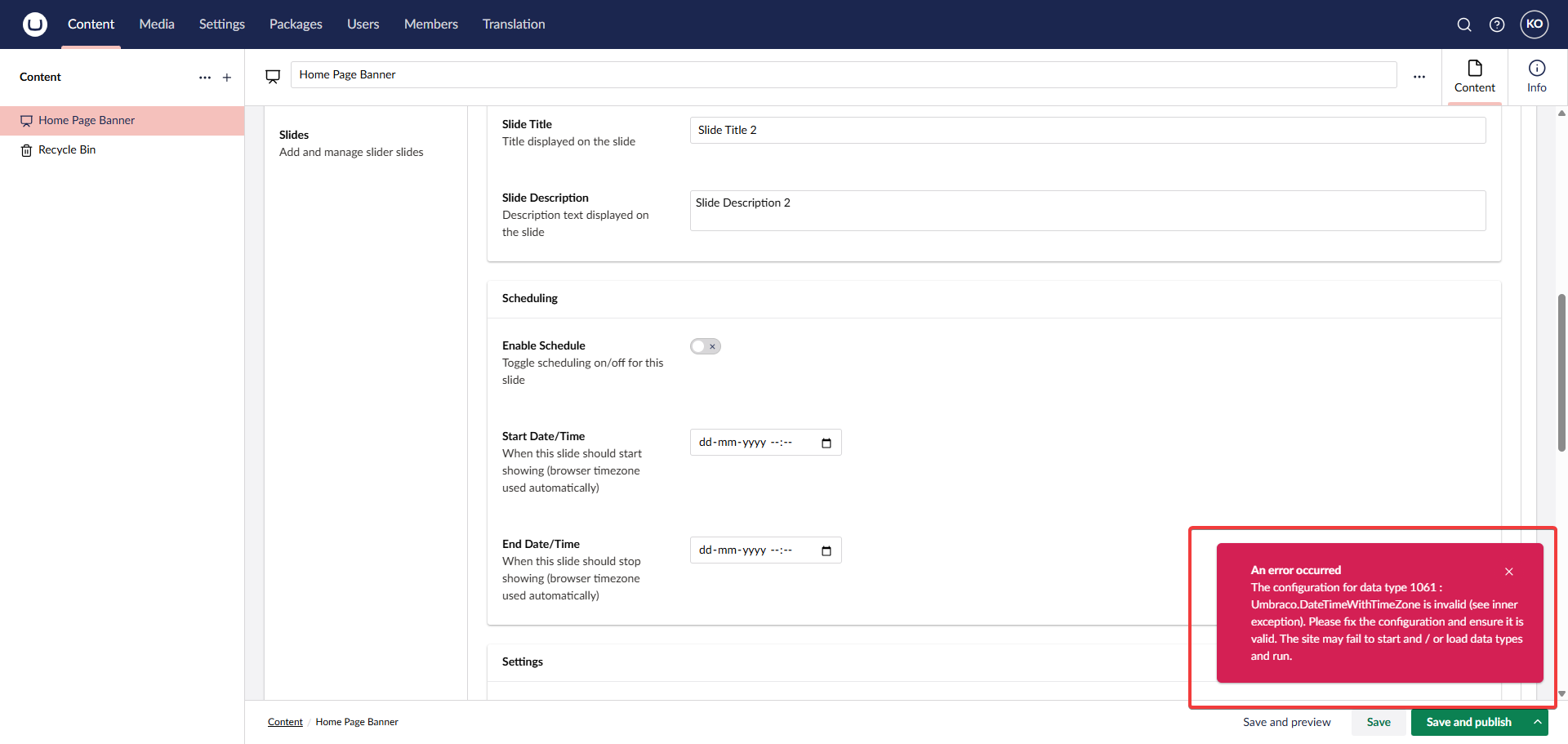
Follow the next steps if you are receiving timezone regarding error shown in picture
Go to the property editor
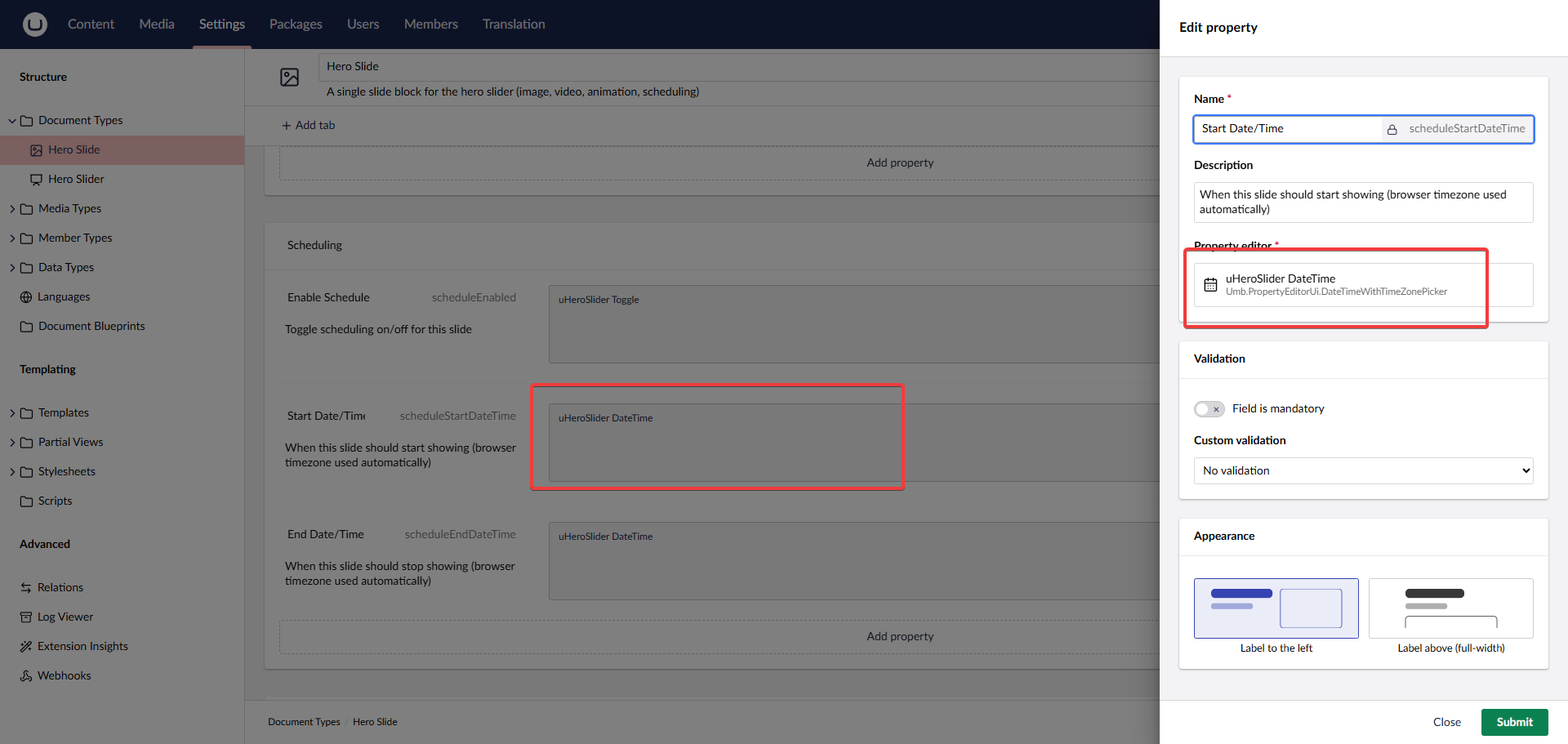
Click Settings -> Hero Slider document -> navigate to the date properties as shown in the image
Save the new config
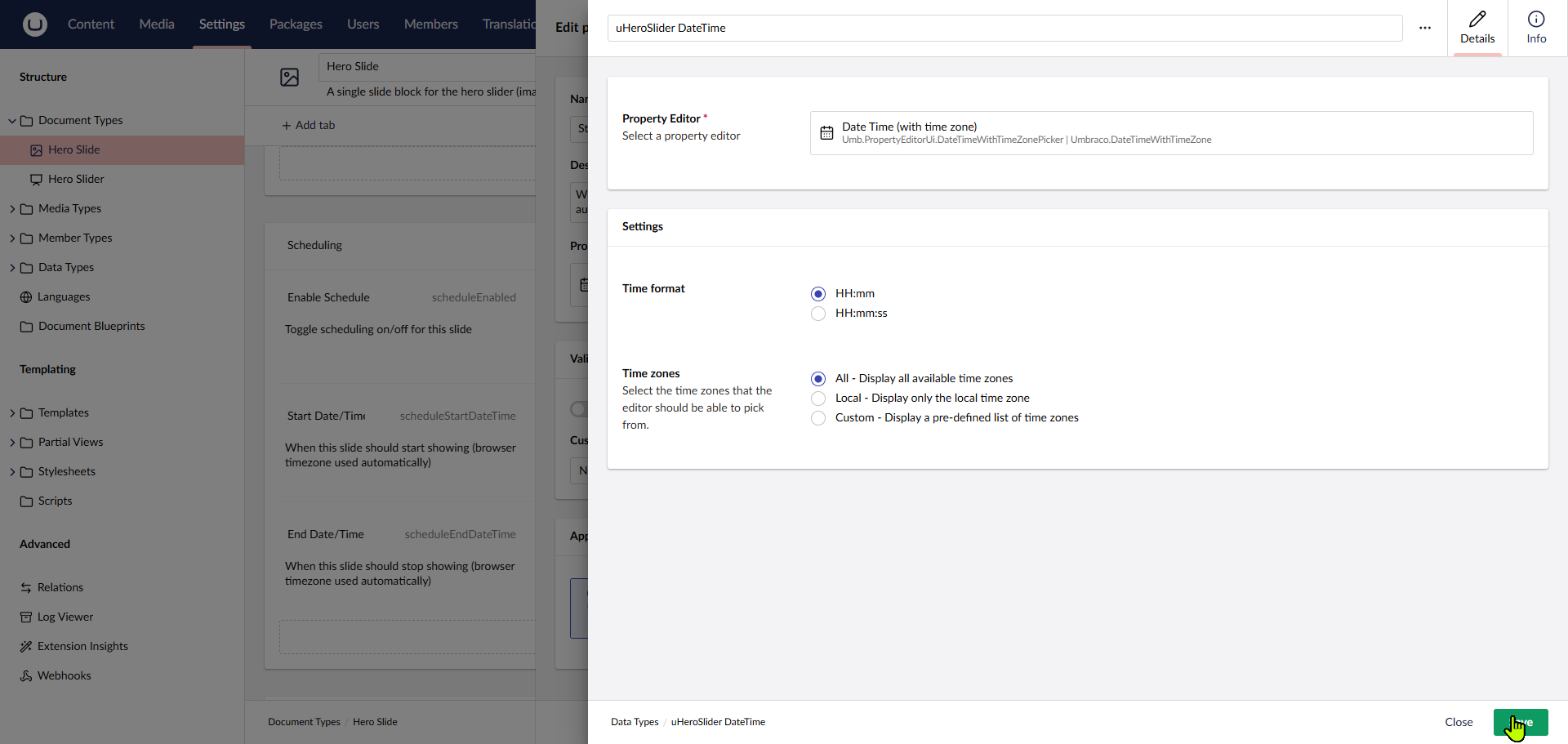
Open the media picker property editor and temporary toggle local then select all then save the changes
Save the main document in content section
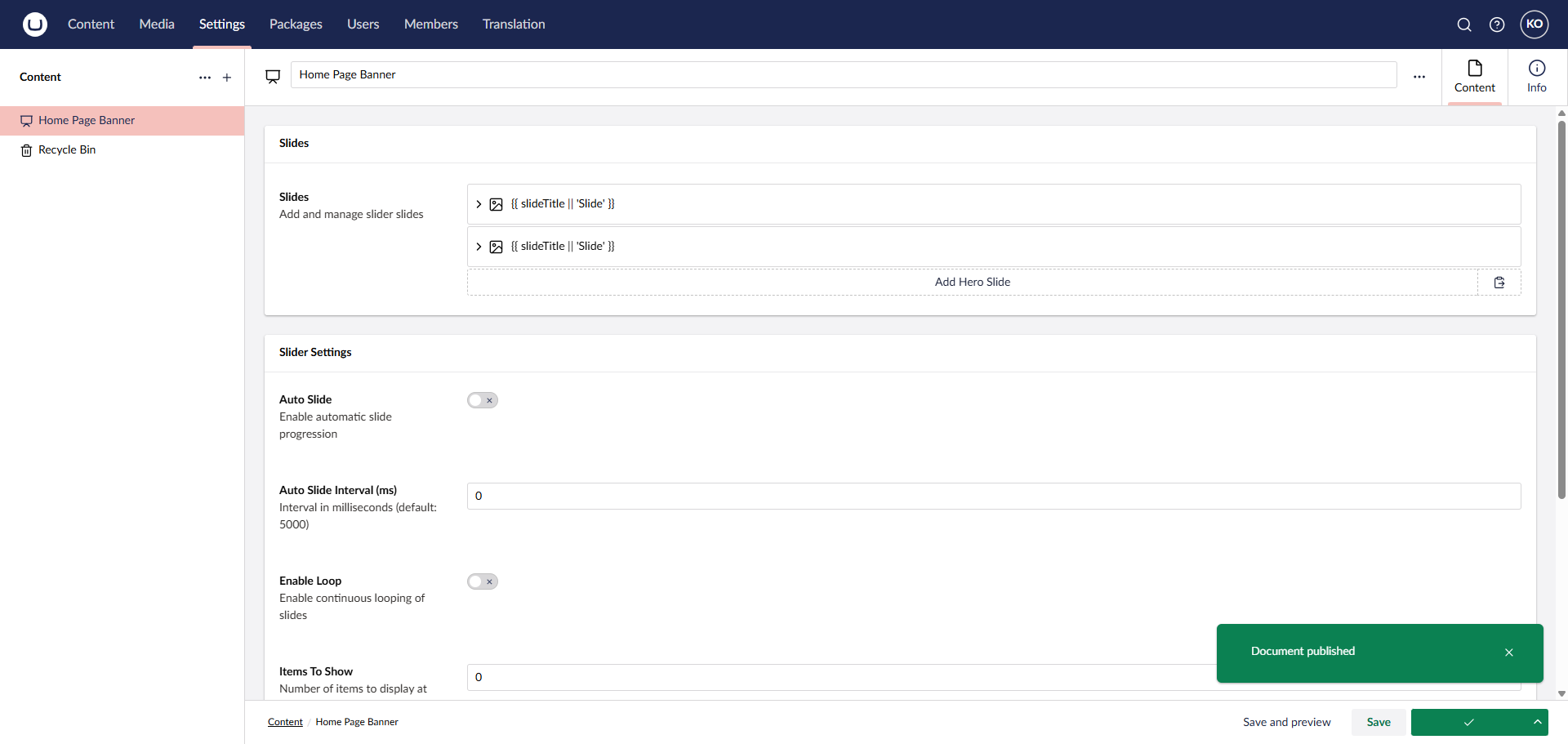
Hero carousel should be working as expected
Release Notes
Release history and improvements for this product
1.4.0
Latest
Added: Support for adaptive height to each slide
Added: Different slide transition options
Added: Toggle to play video slide only once and stop the video after completed
1.3.0
Added: Media overlay system — solid color, gradient (5 directions), and pattern texture (dots, lines, grid) overlays per slide
Added: Animated scroll-to-next-section arrow button at the bottom of the hero slider
1.2.0
Added: RTL (right-to-left) layout support for Arabic, Hebrew, and other RTL languages
Added: Configurable touch sensitivity for swipe gesture control
1.1.1
Added: Community feedback form link to the documentation
Enhanced: Automated NuGet publishing workflow improvements
1.0.10
Added: Visual progress bar showing slide advancement — configurable to top or bottom position
Added: Thumbnail navigation strip for direct slide access
Added: Keyboard navigation support (left/right arrow keys)
Fixed: Slider re-render issue on page refresh
1.0.9
Enhanced: Automated versioning and release tagging workflow introduced
Enhanced: Internal improvements to the migration runner
1.0.8
Added: Video controls (play, pause, mute) for video slides
Enhanced: Sortable dependency replaced with a lighter minified build
Fixed: Video slide layout on mobile viewports
1.0.7
Enhanced: Frontend asset pipeline refactored for cleaner delivery
Enhanced: Responsiveness improvements across mobile breakpoints
1.0.6
Added: Usage examples covering common scenarios including homepage hero, video showcase, and seasonal campaigns
Added: Quick start guide and package architecture reference documentation
Fixed: Minor stability improvements to the migration runner
1.0.5
Added: Festival-based scheduling with 10+ predefined festival keys (Christmas, Diwali, Easter, Thanksgiving, and more) - ( PRO )
Added: Custom festival date range support for non-standard campaigns ( PRO )
Enhanced: Easter date auto-calculated annually — no manual entry required ( PRO )
1.0.4
Added: Service-based scheduling with dedicated scheduling interface and implementation ( PRO )
Added: Schedule validation with clear field-level error reporting
1.0.2
Added: Initial release of uHeroSlider for Umbraco 17+
Added: Block List-based slide management with image, video, title, description, and button fields per slide
Added: Per-slide scheduling with timezone-aware start and end date/time ( will be available in PRO )
Added: 7 entrance animation types, auto-slide, loop mode, navigation dots and arrows
Added: YouTube and Vimeo embed support for video slides
Added: Per-slide link target, custom CSS class, and sort order controls
Added: Fallback views for error, no-slides, and schedule-inactive states